Packet Capture Lab
Objective
The goal of this lab was to get hands-on experience with packet capture and network traffic analysis — a core skill for SOC analysts, pen testers, and anyone working in network security. Specifically I aimed to:
• Capture live traffic on a real network interface
• Use display filters to isolate specific protocol traffic
• Identify DNS queries and understand passive background traffic
• Intercept and read plaintext HTTP data
• Map outbound TCP connection attempts using SYN packet analysis
Environment & Setup
This lab was performed on a personal machine running Arch Linux. No special lab environment or VMs were required — all traffic captured was from the host machine's own network activity.
user@arch:~$ sudo pacman -S wireshark-qt
# Add user to wireshark group (avoids running as root)
user@arch:~$ sudo usermod -aG wireshark $USER
# Launch Wireshark
user@arch:~$ wireshark
Adding my user to the wireshark group is an important security practice — it allows packet capture without running Wireshark as root, following the principle of least privilege.
Methodology
I followed a structured approach — selecting the active interface, capturing traffic while browsing, then applying display filters to isolate and analyze specific protocol traffic.
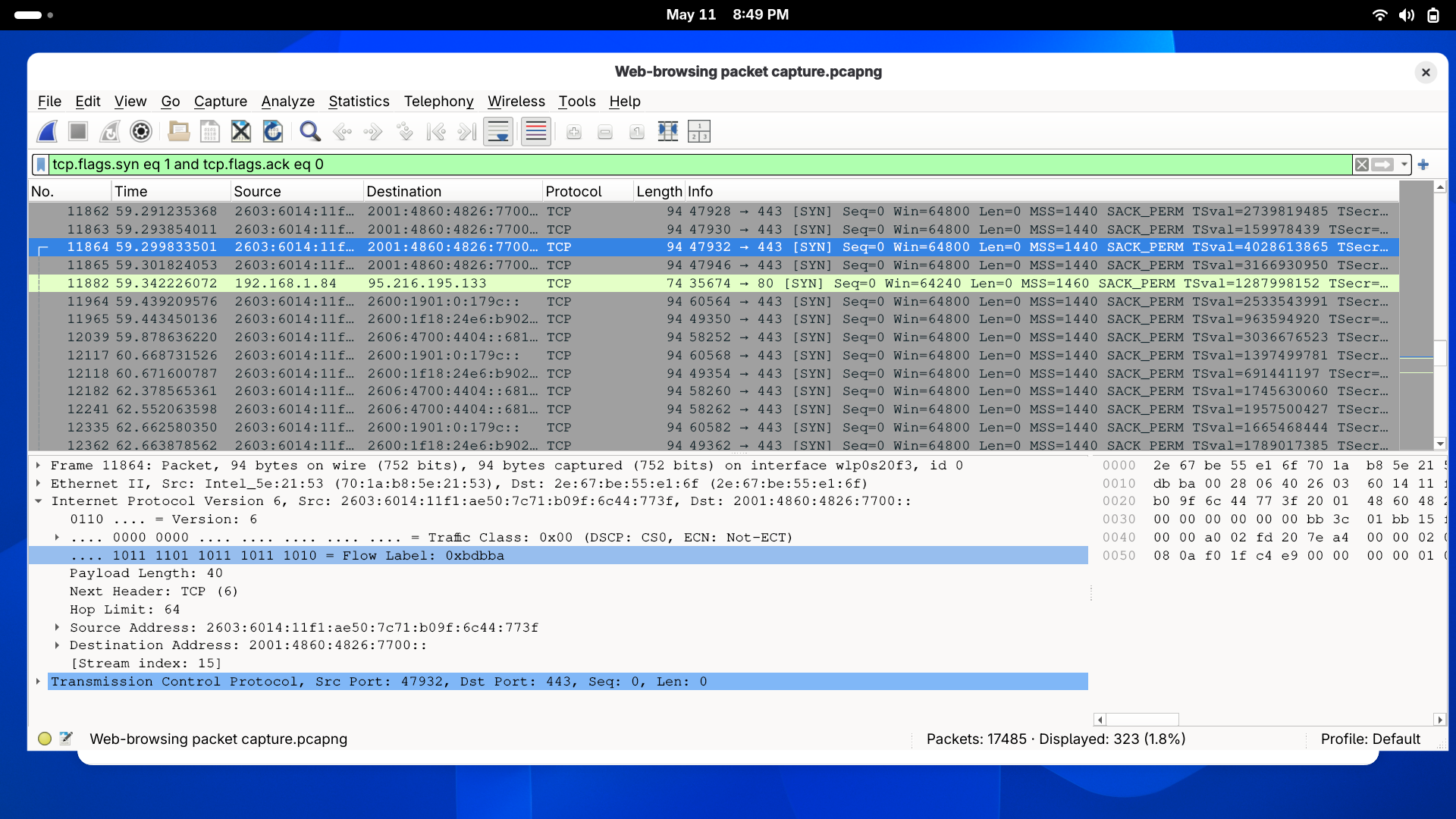
http://neverssl.com intentionally to generate unencrypted HTTP traffic for analysis.dns to isolate all domain name lookup traffic. Examined query/response pairs and noted domains contacted.http to isolate unencrypted traffic. Inspected the Hypertext Transfer Protocol layer of GET requests to read plaintext headers.tcp.flags.syn == 1 to map all outbound connection attempts and identify every server the machine contacted during the capture window.capture1.pcap for documentation and future reference.Findings
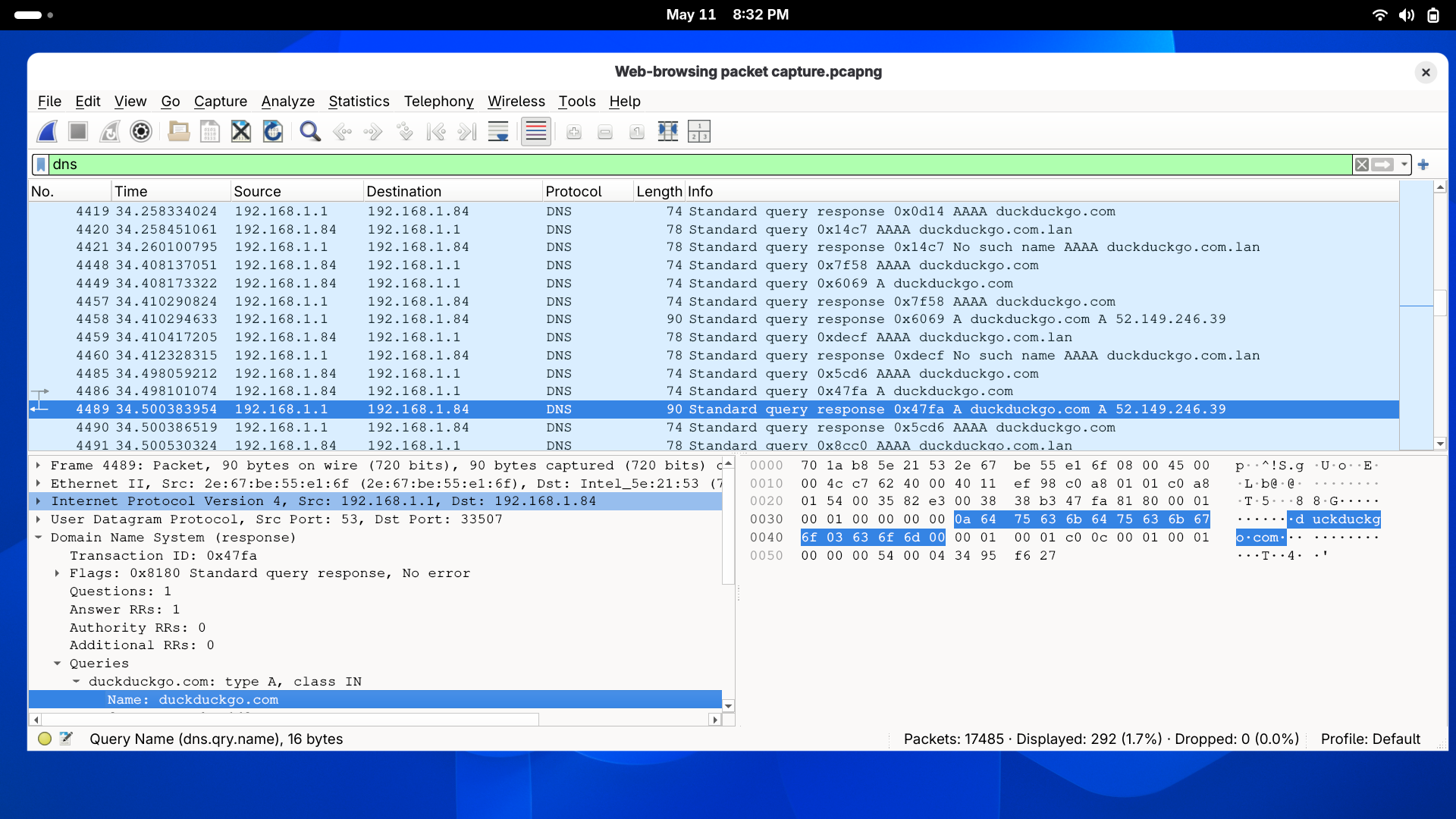
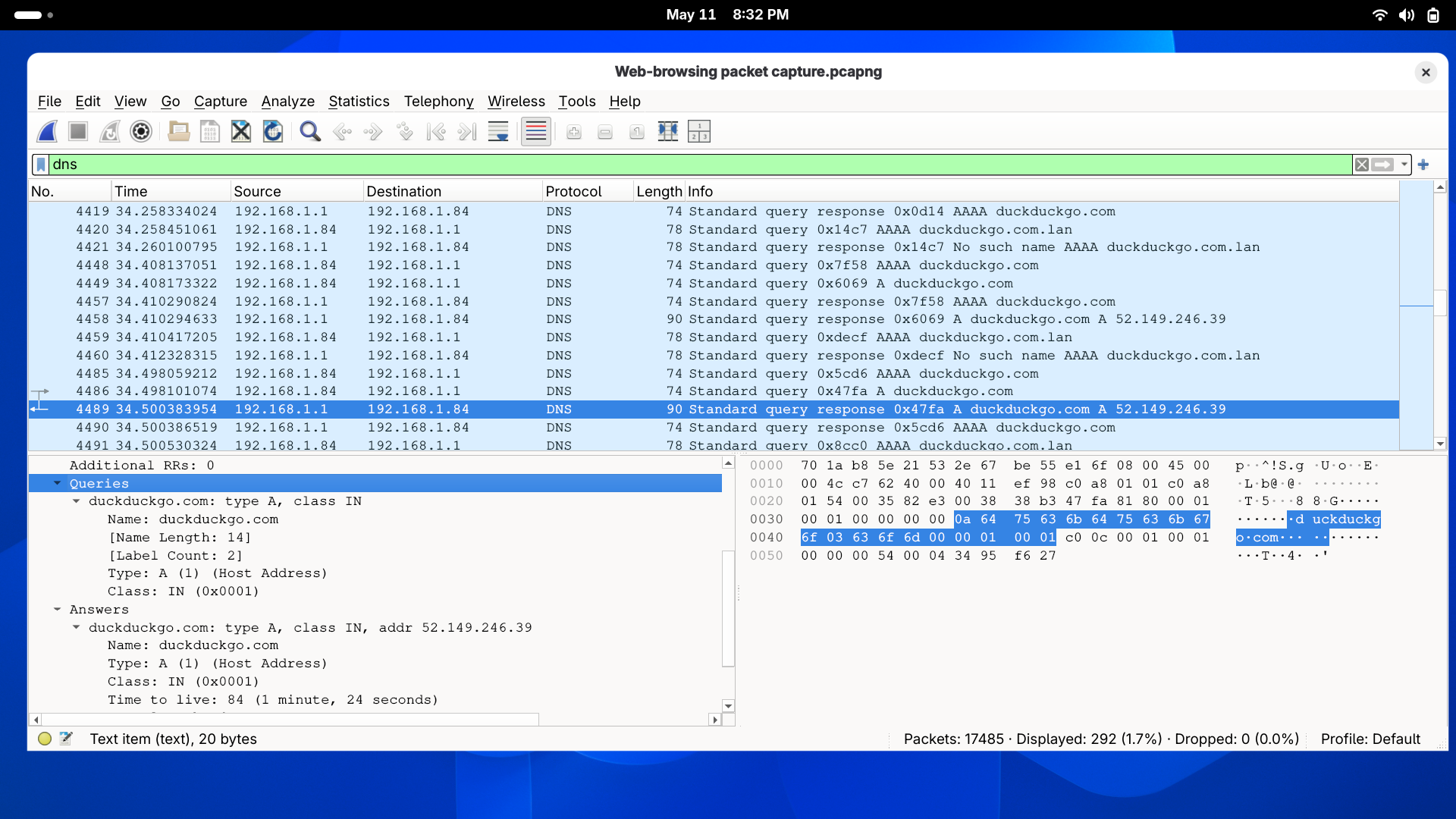
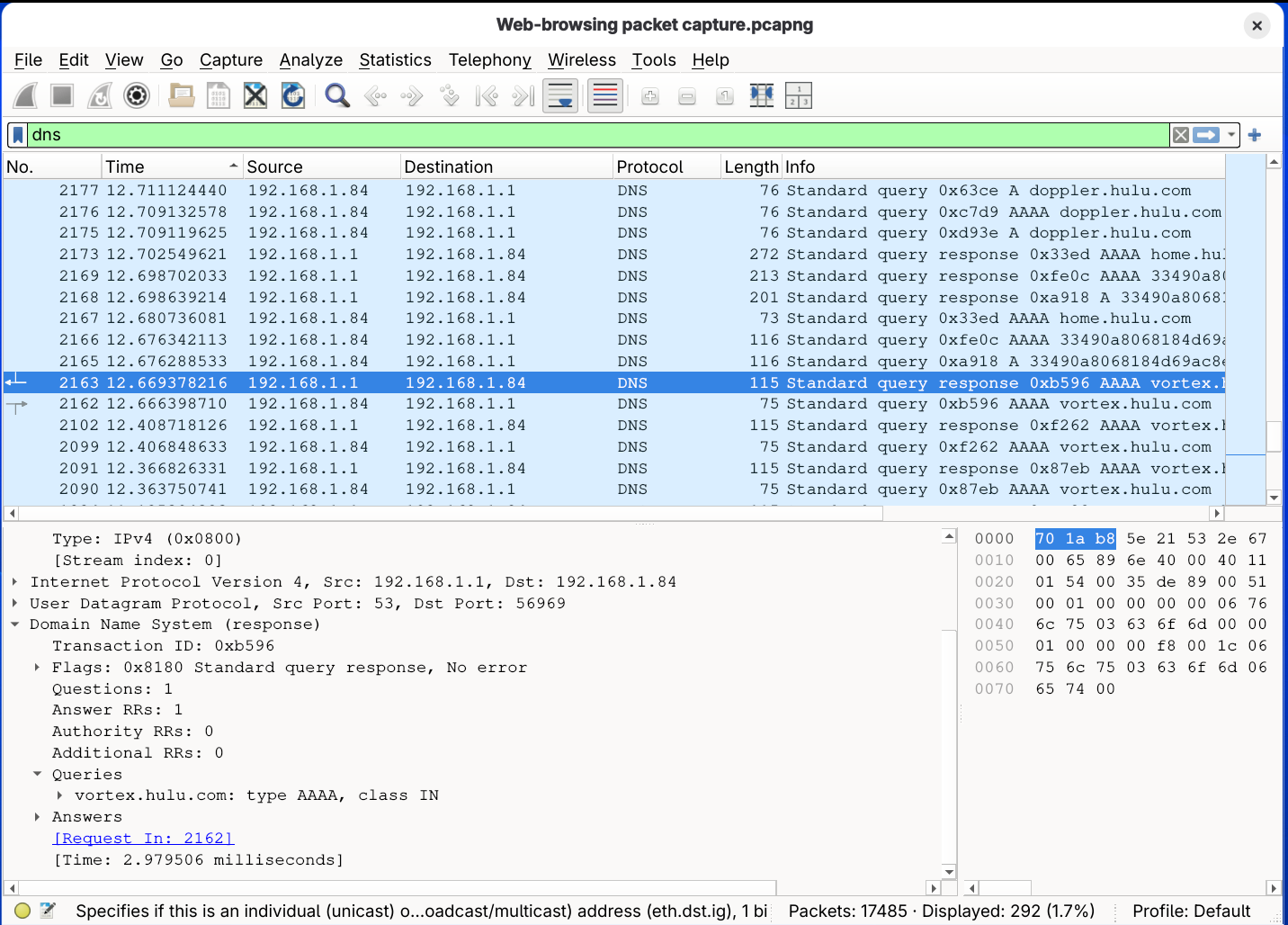
Applying the dns filter revealed that the machine was making DNS lookups to domains I never explicitly visited. The most notable was hulu.vortex — a CDN endpoint contacted automatically by the Hulu app running in the background, with no user interaction.
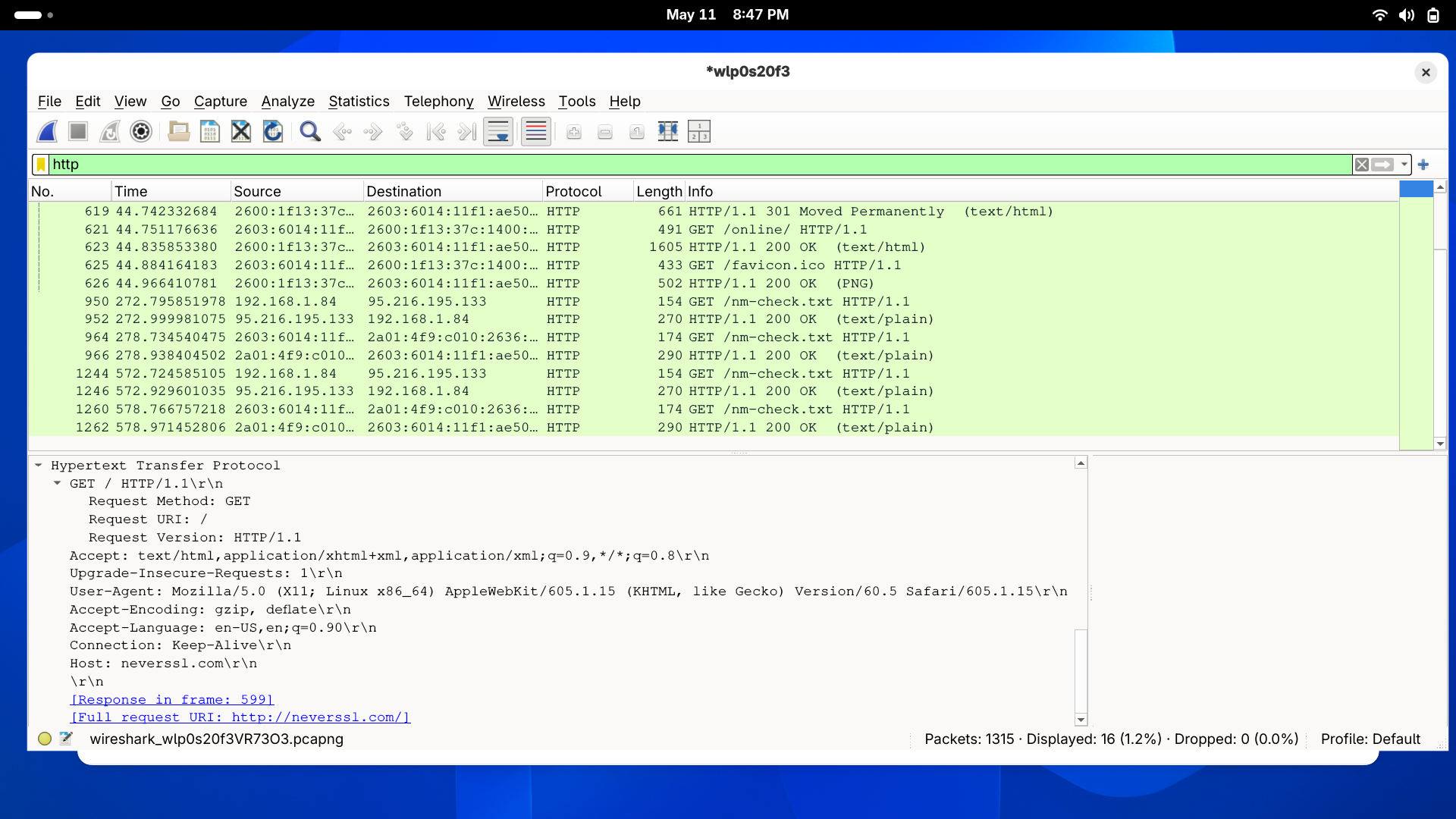
Filtering for http traffic and inspecting a GET request to neverssl.com revealed fully readable HTTP headers in the packet's Hypertext Transfer Protocol layer — including Host, User-Agent, and Cookie fields. This data was transmitted with zero encryption, meaning anyone on the same network could intercept and read it.
Filtering for TCP SYN packets revealed every server the machine attempted to connect to during the capture window. Even during a short session, numerous outbound connections were initiated — many from background processes rather than direct user action. This technique is useful for baselining normal behavior and detecting anomalous outbound connections.
Remediation & Recommendations
ss or netstat.Conclusion
This lab demonstrated that even routine browsing generates a significant amount of observable network traffic — much of it from background processes the user never directly initiated. The most critical finding was the ability to read plaintext HTTP headers in full, highlighting why unencrypted protocols are a serious risk on shared networks.
From a defensive perspective, this lab reinforced the importance of protocol encryption, network baselining, and continuous traffic monitoring. Understanding what normal traffic looks like is the foundation for detecting what isn't normal — a core skill for any SOC analyst.
Tools like Wireshark are equally valuable to attackers and defenders. This lab gave me practical experience on the defender side — but understanding the attacker's view of the same data is what makes this knowledge actionable.